
CLAUDE.md Done Right: Writing Project Memory That Claude Code Actually Follows
Updated: Oct 9
Introduction
Every developer who uses an AI coding assistant hits the same wall: the assistant is brilliant for one session, then forgets everything by the next. You re-explain the stack, re-state the conventions, re-warn it about the same trap, and watch it make the same mistake it made last Tuesday. Repeating yourself to a tool that is supposed to save you time is a strange way to work.
Claude Code solves this with a single file called CLAUDE.md: a markdown document that loads automatically at the start of every session and acts as the project’s standing memory. This guide covers what belongs in that file, what actively hurts, where the file can live, and how to keep it useful as your project grows. The counterintuitive core lesson: the best CLAUDE.md files are short, and most bad ones fail by saying too much.
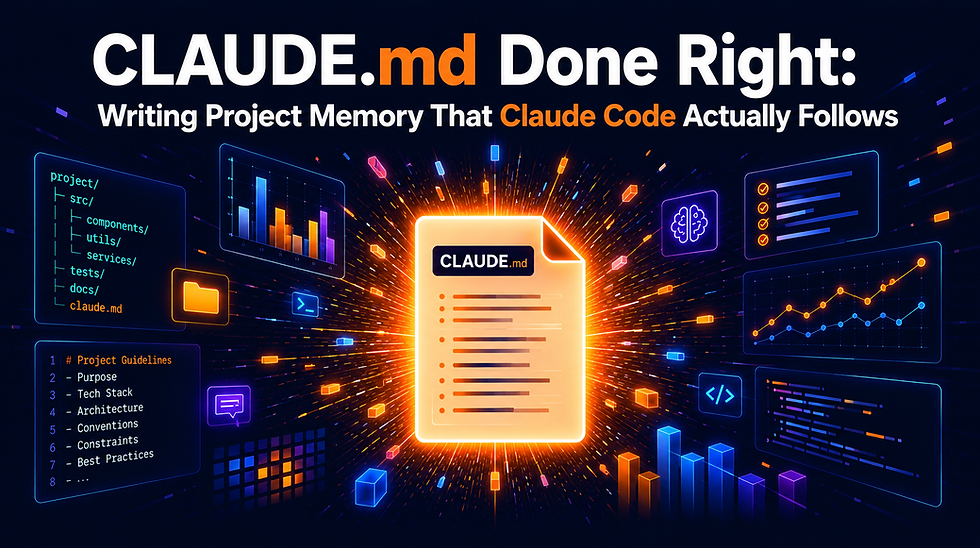
What CLAUDE.md Actually Is
CLAUDE.md is a plain markdown file that Claude Code reads on its own at session start, without being asked. Whatever it contains becomes background knowledge for the whole conversation: your stack, your conventions, your workflows, your project’s sharp edges. It even survives mid-session context compaction, which makes it the most durable piece of context you control.
Think of it as onboarding notes for a very fast new teammate who shows up with no memory of yesterday. Anything you would tell that teammate on day one, and nothing you would not, belongs in the file.
Why Shorter Files Win
Here is the constraint that shapes everything else. Claude Code’s own system prompt already carries roughly fifty instructions before your file is even read. Research on instruction-following shows that models start dropping rules once the total climbs into the 150 to 200 range. That leaves you a working budget of maybe 100 to 150 instructions, and every line you spend on something obvious is a line not spent on something that matters.

A bloated file does not merely waste space. When the file gets long, Claude starts triaging, and it may triage away the one rule you actually cared about. This is why seasoned teams keep their CLAUDE.md under sixty lines even though the official guidance allows up to two hundred.
A simple test for every line: if you deleted it, would Claude start making mistakes? If the honest answer is no, the line is dead weight.
Where the File Lives
CLAUDE.md is not one file but a small hierarchy. Claude Code merges up to four scopes, and when two rules collide, the more specific file wins.

Organization policy: a machine-wide file that an IT team manages centrally. Every project on the machine inherits it.
User level (~/.claude/CLAUDE.md): your personal preferences, applied across all of your projects.
Project root (./CLAUDE.md): the main, team-shared file. It lives in the repository and travels with the code.
Subdirectory (for example packages/api/CLAUDE.md): loaded only when Claude works inside that folder, which makes it perfect for area-specific rules in larger repos.
One extra trick: a CLAUDE.local.md file, listed in .gitignore, holds personal preferences you do not want to impose on teammates, like your favourite test filter or a local database alias.
The Three Layers of a Good File
A useful CLAUDE.md answers three questions in order: what is this project, why is it built this way, and how do changes get made here.

Layer one is identity. A one-or-two-line description of what the project does, the tech stack with exact version numbers, a compact map of the top-level directories, and the everyday commands for building, testing, and linting. Version numbers matter more than they look: a framework’s version 14 and version 15 can have entirely different idioms, and if you do not pin the version in writing, Claude will guess. Put commands in code fences; fenced commands get executed exactly as written, while commands described in prose get treated as loose suggestions.
Layer two is reasoning. This is the layer most files skip and the one with the highest payoff. Do not just state rules; state why they exist. “Never force push, because it rewrites shared history and cannot be undone for collaborators” beats a bare “never force push” in two ways: the rule is followed more reliably, and the reasoning lets Claude generalize to situations you never wrote down, like being cautious with a hard reset on a shared branch.
Layer three is ways of working. Commit message format, branch naming, review expectations, and above all the project’s traps: the migration script that must run after schema changes, the environment variable that must be set before tests pass, the import that has to come first for the mocks to work. If a new human teammate would trip over it in week one, write it down. If it is standard practice in the language, do not.
What to Leave Out
Knowing what to exclude is half the skill. Leave out:
Anything a linter or formatter already enforces. Style rules belong in tool configs, not in prose. The tools are deterministic; instructions are not.
Standard language knowledge. Claude already knows how promises work and what a context manager is. Restating textbook material burns budget for zero gain.
Full API documentation. Link to the docs instead of pasting them. A pointer costs one line; the pasted content costs hundreds.
Task recipes. Step-by-step workflows for specific jobs belong in dedicated skill files that load on demand, not in a file that loads every session.
Hypothetical edge cases. A rule for a situation that has never actually occurred is speculation, and speculation crowds out fact.
Writing Rules That Stick
A few patterns separate rules that get followed from rules that get ignored.
Be concrete or be deleted. “Write clean code” instructs nothing. “Use 2-space indentation, single quotes, no semicolons” can be followed and checked. If a rule cannot be verified, it cannot really be obeyed either.
Never prohibit without pointing somewhere. A rule that only says “do not do X” leaves Claude stranded the moment X seems necessary. Pair every ban with the sanctioned alternative: “do not install with the legacy flag; fix version conflicts by upgrading the conflicting package instead.” Now the rule teaches a behavior rather than just blocking one.
Ration your emphasis. Markers like IMPORTANT: work precisely because they are rare. A file where every third line shouts is a file where nothing does.
Keep the structure boring. Three heading levels at most, with conventional section names like Commands, Structure, Conventions, and Testing. Claude has read millions of READMEs and knows exactly where to look when your file looks like one.
Scaling Up: Teams and Monorepos
For a team, the project-level CLAUDE.md should be committed to version control and changed through the same review process as code. It is documentation with live behavioral consequences, which makes review more important, not less.
When one file gets crowded, split it. A .claude/rules/ directory can hold focused files like testing.md or api-design.md, loaded with the same priority as the main file. Rules can also be scoped by path with a small YAML header, so API conventions load only when API files are touched. In monorepos this modularization pays off dramatically: one team cut their total rule text by around eighty percent by moving from a single giant file to per-service files, and compliance improved because each session carried only relevant rules.
Prefer references over embedding. A line like “for migration steps, see docs/migrations.md” costs almost nothing, and Claude opens the document only when the task calls for it. CLAUDE.md also supports an @ import syntax that pulls another file’s content directly into context; it is handy for genuinely small files, but importing a five-hundred-line architecture document this way embeds all of it into every single session, which is the fastest way to torch your instruction budget.
Monorepos get one more escape hatch: a settings option (claudeMdExcludes in .claude/settings.local.json) that stops other teams’ rule files from loading into your sessions at all, so the payments team’s conventions never crowd out your own.
Keeping the File Healthy
A CLAUDE.md is never finished; it is gardened.

The loop is simple. Add a rule only when Claude makes a real mistake that the rule would have prevented; every line should trace back to an actual incident. Every few weeks, ask Claude itself to review the file for contradictions and redundancy. Then prune: any convention Claude already follows without being told is a rule you can delete for free.
Two symptoms tell you the file needs attention. If Claude apologizes for missing a rule that is plainly written in the file, the phrasing is ambiguous and needs a rewrite. If the same rule keeps being violated across sessions, the file has grown past the point where Claude reads all of it; the fix is pruning, not repeating the rule in capital letters.
A neat closing trick: add one standing instruction asking Claude to suggest CLAUDE.md corrections whenever it notices its own assumptions were wrong. The file then helps maintain itself.
Mistakes That Sink the File
The same failure patterns show up everywhere:
Endless accumulation. Rules get added after every frustrating session and never removed. The file only grows, and past a certain length every new rule makes the whole file weaker.
Shouting instead of pruning. When a rule gets ignored, the reflex is to bold it, capitalize it, and add three exclamation marks. The actual cause is usually file length, and the actual fix is deletion.
Publishing the generated draft unedited. The /init command produces a solid starting draft of CLAUDE.md by scanning your repo, but it guesses, and unreviewed guesses become standing instructions that quietly warp every future session.
Contradictions across scopes. When the user-level file says one thing and the project file says another, Claude resolves the conflict silently and not always the way you would. Cross-file reviews catch this.
A rule for every edge case. Conditional instructions that apply once a month sit in context every single session, costing attention constantly and helping almost never.
Where CLAUDE.md Fits Among Claude Code’s Other Context Tools
CLAUDE.md is one of several ways Claude Code carries context, and knowing the boundaries keeps each tool doing its own job:
CLAUDE.md holds standing project rules you write and maintain. It loads every session, unconditionally.
Memory is the opposite direction: notes Claude writes for itself about patterns and discoveries, with an index that loads at session start.
Skills package task-specific workflows (a deployment checklist, a review procedure) that load only when that task comes up, which is exactly why task recipes do not belong in CLAUDE.md.
Hooks are shell commands that fire automatically at fixed points, like before a commit or after an edit. Rules that must never be skipped belong in hooks, because a hook is enforced by the machinery rather than remembered by the model.
If a piece of context must always be true, it goes in CLAUDE.md. If it is only sometimes relevant, it belongs in a skill. If it must be guaranteed, make it a hook.
Getting Started in Ten Minutes
Run /init in your project root and let Claude generate a first draft from your codebase. Then edit it ruthlessly with the deletion test: would removing this line cause mistakes? Cut everything that fails.
If you would rather start from a blank file, five short sections cover what matters: a project overview, a directory map, the daily commands, your conventions, and the quirks that trap newcomers. Keep the first version under sixty lines and let real mistakes, not imagination, drive every addition after that.
Who Can Benefit
Developers using Claude Code daily who are tired of re-explaining their project at the start of every session.
Team leads who want an AI assistant to follow the same conventions as every human on the team.
Engineers working in monorepos who need different rules for different services without drowning every session in all of them.
Technical writers and platform teams responsible for developer tooling standards across an organization.
Anyone whose CLAUDE.md has quietly grown past a hundred lines and who wonders why the assistant seems to listen less than it used to.
How Codersarts Can Help
If you want to take this further, Codersarts offers hands-on support at every stage.
For learners: Live 1-to-1 sessions with an AI engineer who can review your CLAUDE.md, walk through Claude Code’s context system, and show you how instruction budgets shape assistant behavior.
For teams: Workshops on standardizing AI-assisted development, including shared rule files, path-scoped conventions, and review workflows for context files.
For enterprises: Consulting on organization-wide Claude Code policy files, monorepo rule architecture, and measuring whether your context files actually improve assistant output.
Reach out at contact@codersarts.com or visit www.codersarts.com to get started.
Continue Your AI Learning Journey with Codersarts
If you enjoyed this article and would like to discover more about modern AI applications, production-ready LLM systems, and real-world RAG and MCP implementations, be sure to explore these other blogs from Codersarts:
Build a Cost-Efficient Writing Quality Checker with Tiered Model Routing and OpenAI
Build Your First A2A Agent: An Email Drafting Pipeline Using Python and OpenAI
Building an AI Interview Prep Agent with Qwen 3.7 Max and Streamlit
https://www.codersarts.com/post/building-an-ai-interview-prep-agent-with-qwen-3-7-max-and-streamlit
Academic Research Assistance and Literature Review Automation Using RAG
Clinical Decision Support Systems Using RAG: Intelligent Diagnostic Assistance for Healthcare
Financial Decision Making with RAG Powered Market Intelligence
https://www.codersarts.com/post/financial-decision-making-with-rag-powered-market-intelligence



Comments